

AutoVision
Configure the inspection environment
Combine cameras, lighting, mounting structures and on-site computing. Review modular additions at existing inspection points or enclosed configurations to suit the line.
AI fabric inspection hardware configured for your material and line. AutoVision cameras, lighting and on-site computing work with AutoBrics to connect detection, review and per-roll records.
What It Does
AutoVision captures images; AutoBrics connects detection and operator review. Results are recorded in per-roll reports. The working prototype demonstrates inspection on plain, single-color nonwovens.
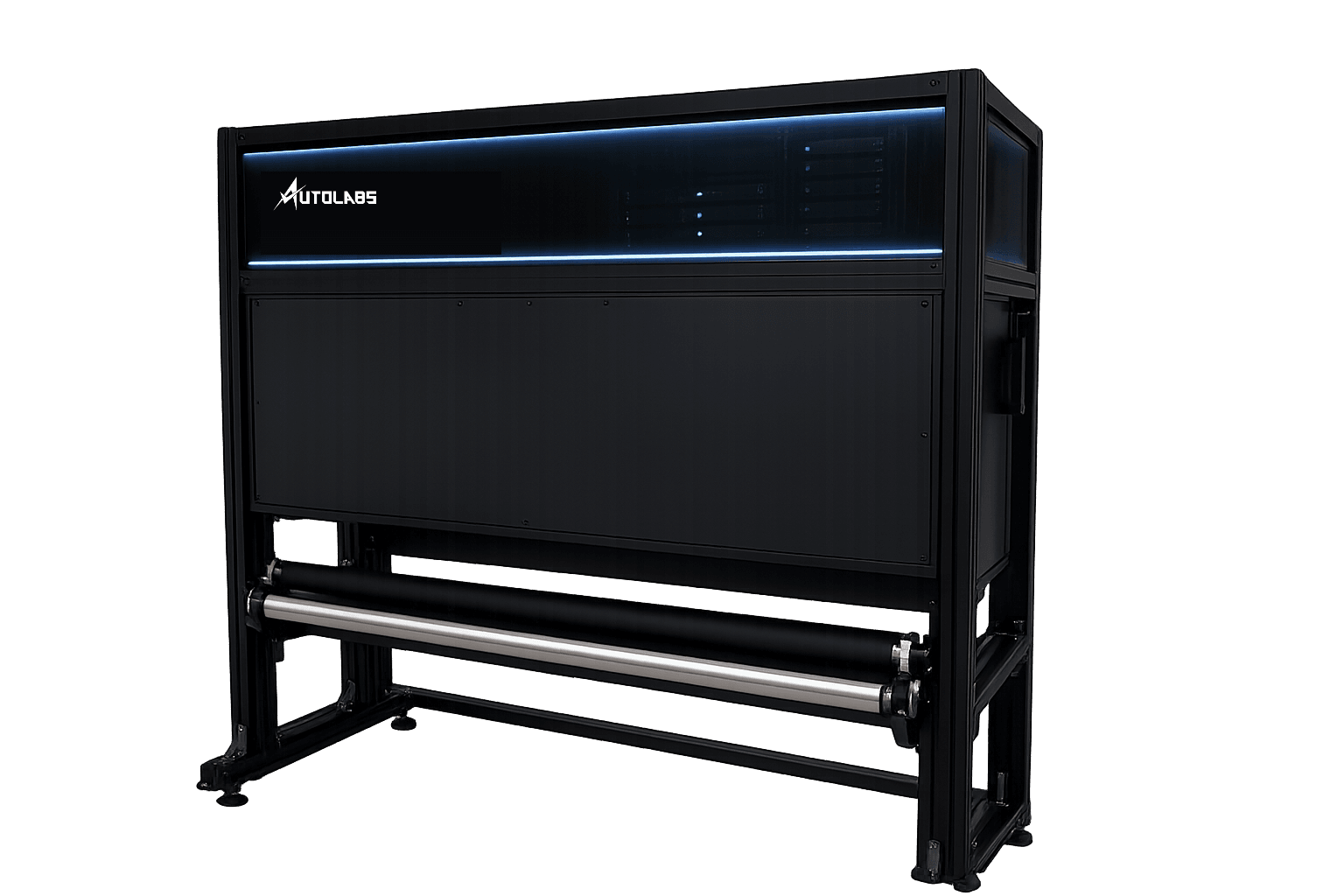
Combine cameras, lighting, mounting structures and on-site computing. Review modular additions at existing inspection points or enclosed configurations to suit the line.
Display potential defects and positions during inspection. Operators enlarge candidate images and review them with inspection records.
Organize per-roll defect images, positions and 4-Point scores into quality records. Confirm criteria and report items for the material and buyer requirements.
AutoVision
Add modules at an existing inspection point or build the inspection area inside an enclosure. Both configurations work with AutoBrics software.
Add cameras, lenses, lighting and mounts to an existing inspection point. Place the on-site computer in a protected location and review results on a touchscreen.
Encoder · capture synchronized with material movement
Protected inspection computer · operator display
Lighting and the inspection surface are arranged inside an enclosure. The scope of material transport and winding equipment is agreed separately for the site.
Encoder · capture synchronized with material movement
Protected inspection computer · operator display
Installation concept only. Camera quantity, layout, enclosure and installation position are determined after material and site review.
Both configurations use AutoBrics to connect inspection → operator review → per-roll reports.
Equipment, installation, software and support are proposed separately. Software is available by subscription or perpetual license, with optional maintenance. Pricing and scope are detailed in the proposal.
Specifications
Review surface, width, speed, target defect size and installation space together. Specifications and supply scope for modular or enclosed configurations are defined for the line.
How It Detects
Use normal material as a reference to identify differences as potential defects. Operators review images with records; settings and validation for new materials are defined by surface and inspection goals.
Identify potential defects relative to normal material. Review samples and inspection goals to determine preparation needs.
Refer to validated material settings and compare the new material's surface, width, speed and inspection needs to agree the configuration work.
Keep candidate defects and operator reviews together. Configuration and future model changes undergo validation and the agreed rollout procedure.
These are examples of common defects by process. The working prototype is demonstrated on plain, single-color nonwovens; scope for your material is defined after reviewing goals and conditions.
What You Get
Review results on the floor screen and in per-roll records. Your factory receives three types of output.
See inspection status beside the line. Potential defects and positions are displayed for operators to review alongside inspection records.
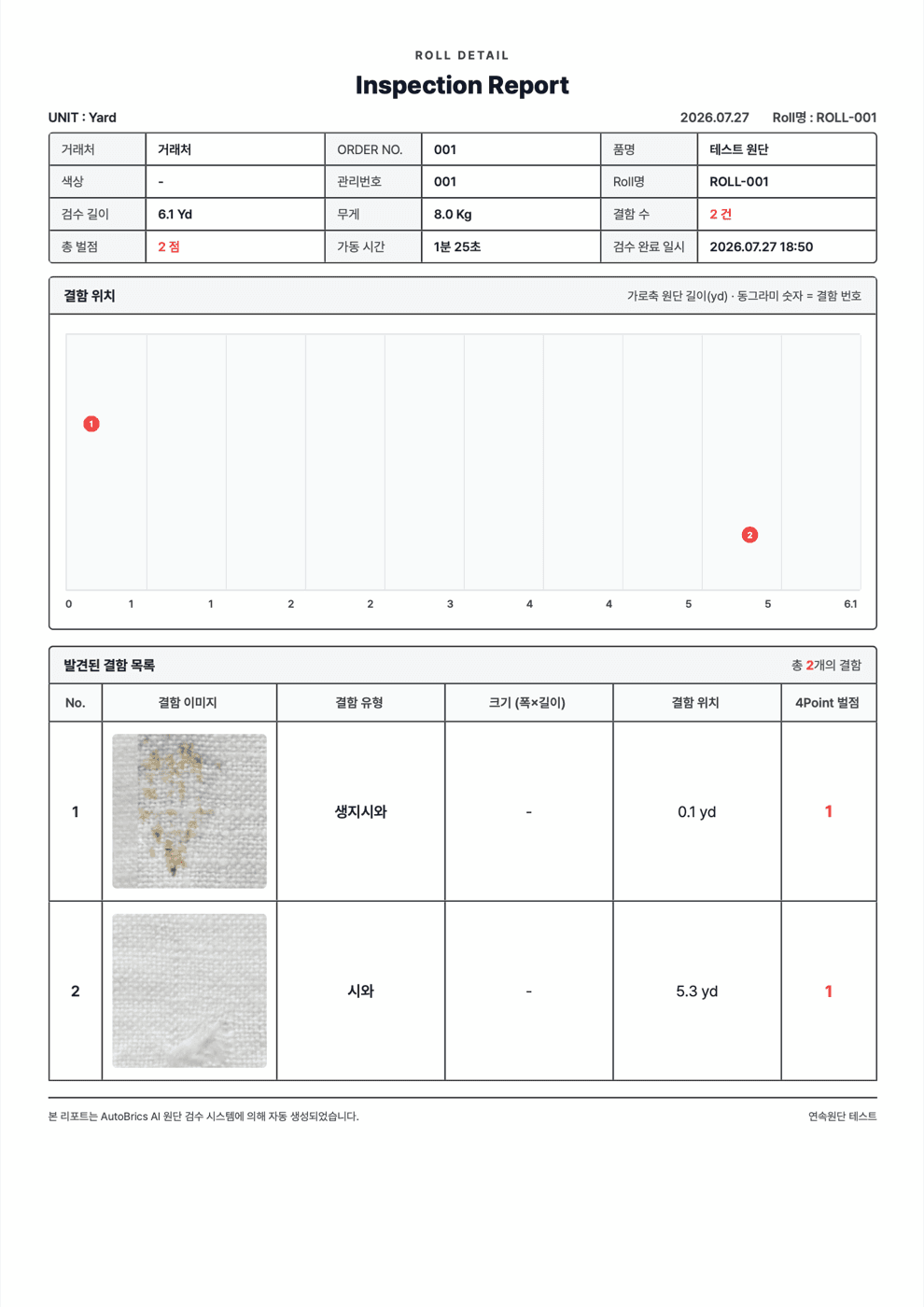
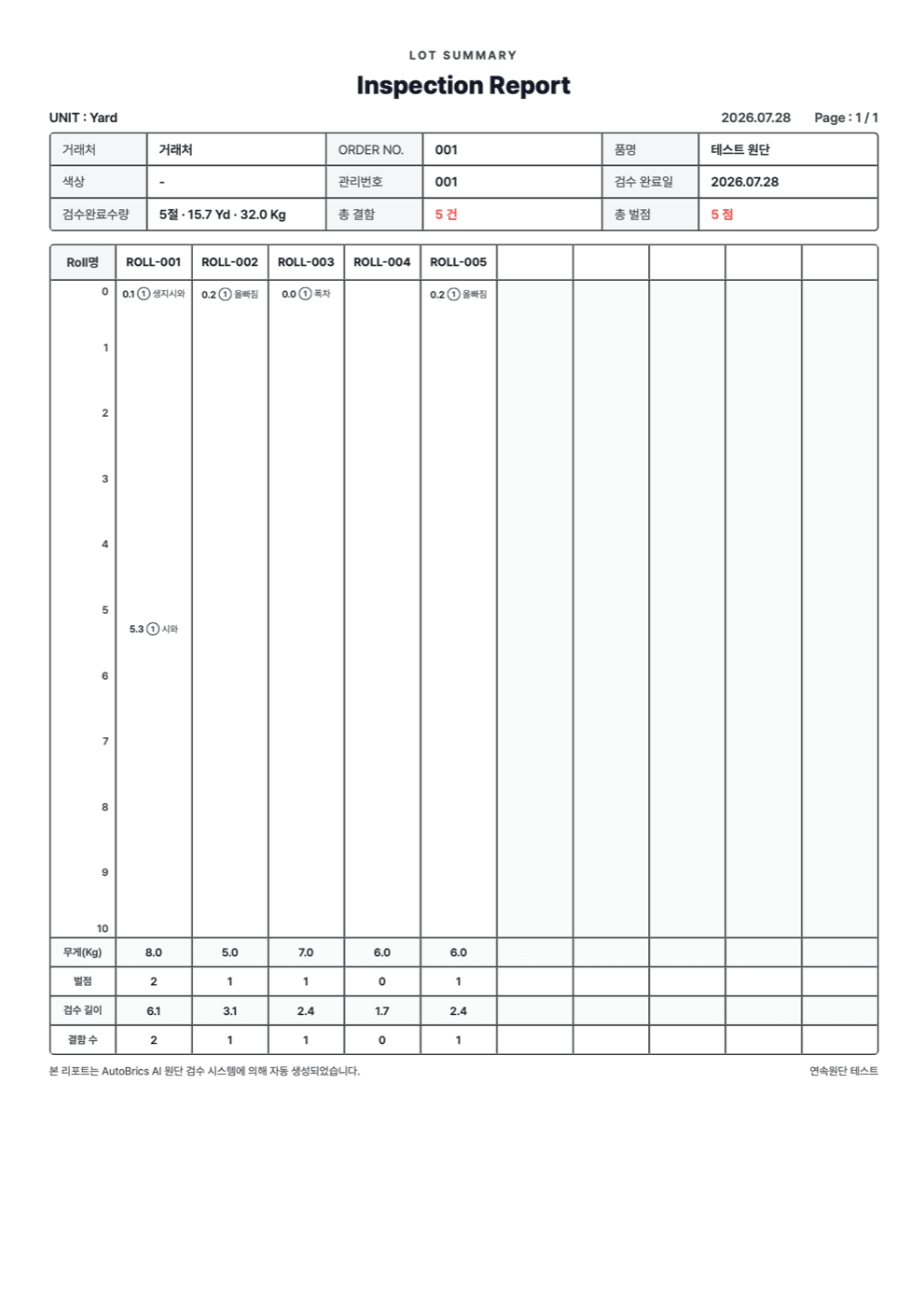
Each roll has a defect map, inspection results and 4-Point scores. Assessment criteria are confirmed for the material and buyer's requirements.
When a quality issue arises, use the roll's inspection records and defect images to review what was observed at inspection.
AutoCertificate organizes per-roll results and 4-Point scores into quality records. Confirm assessment criteria and report items for the material and buyer. The documents below are sample report templates.
Per-roll inspection records
Automatic 4-Point scoring
Create quality reports
Share and review records with buyers
Getting Started
Start by reviewing material and line conditions. Distinguish equipment, installation, software and support scope, then agree each stage's schedule and conditions.
Review material, line setup, current inspection and problems to solve.
Review surface, width, speed, target defects and installation space together.
Define hardware, installation, software, support, costs and schedule.
Install the agreed configuration, train operators and carry out acceptance checks.
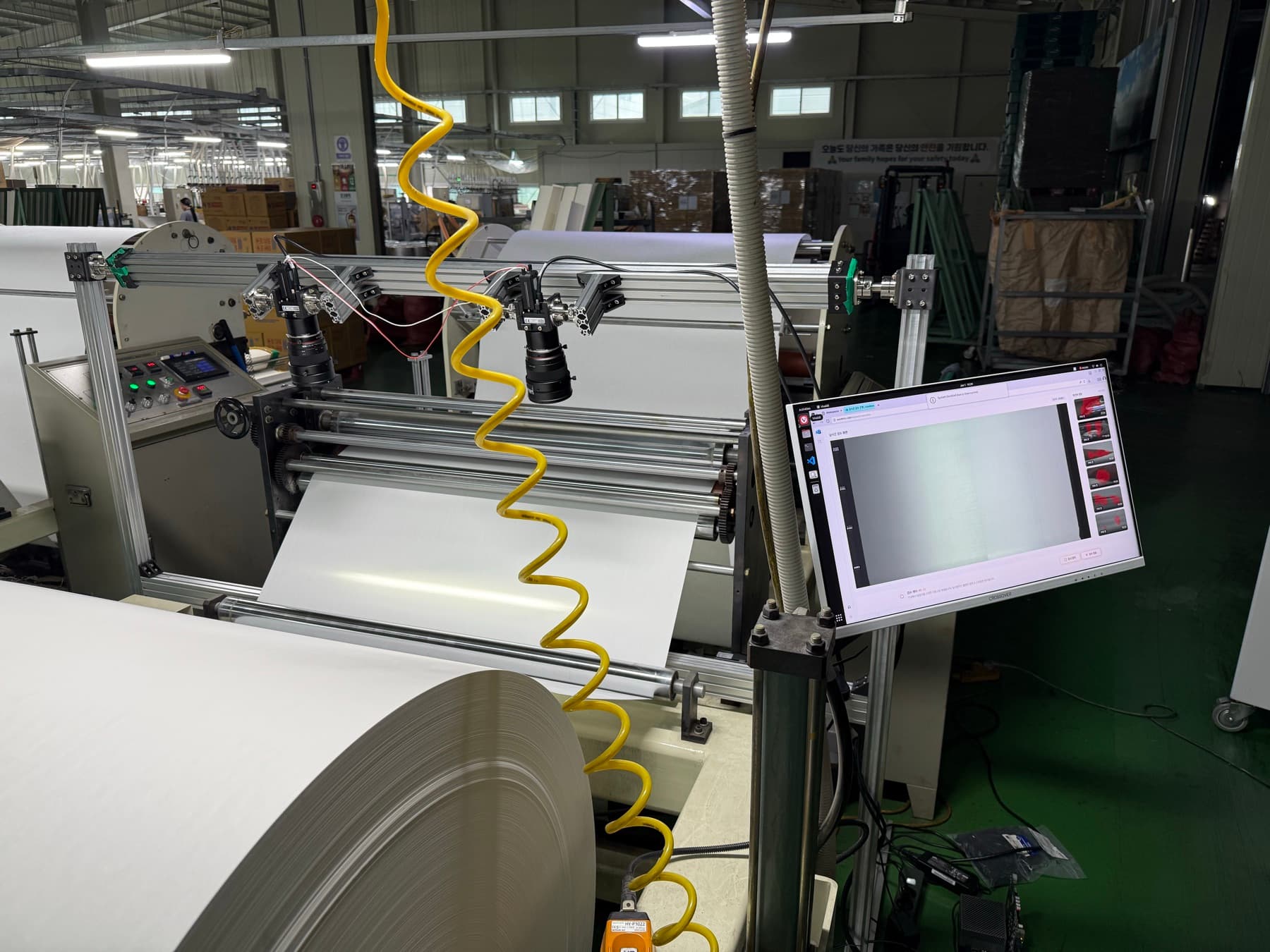
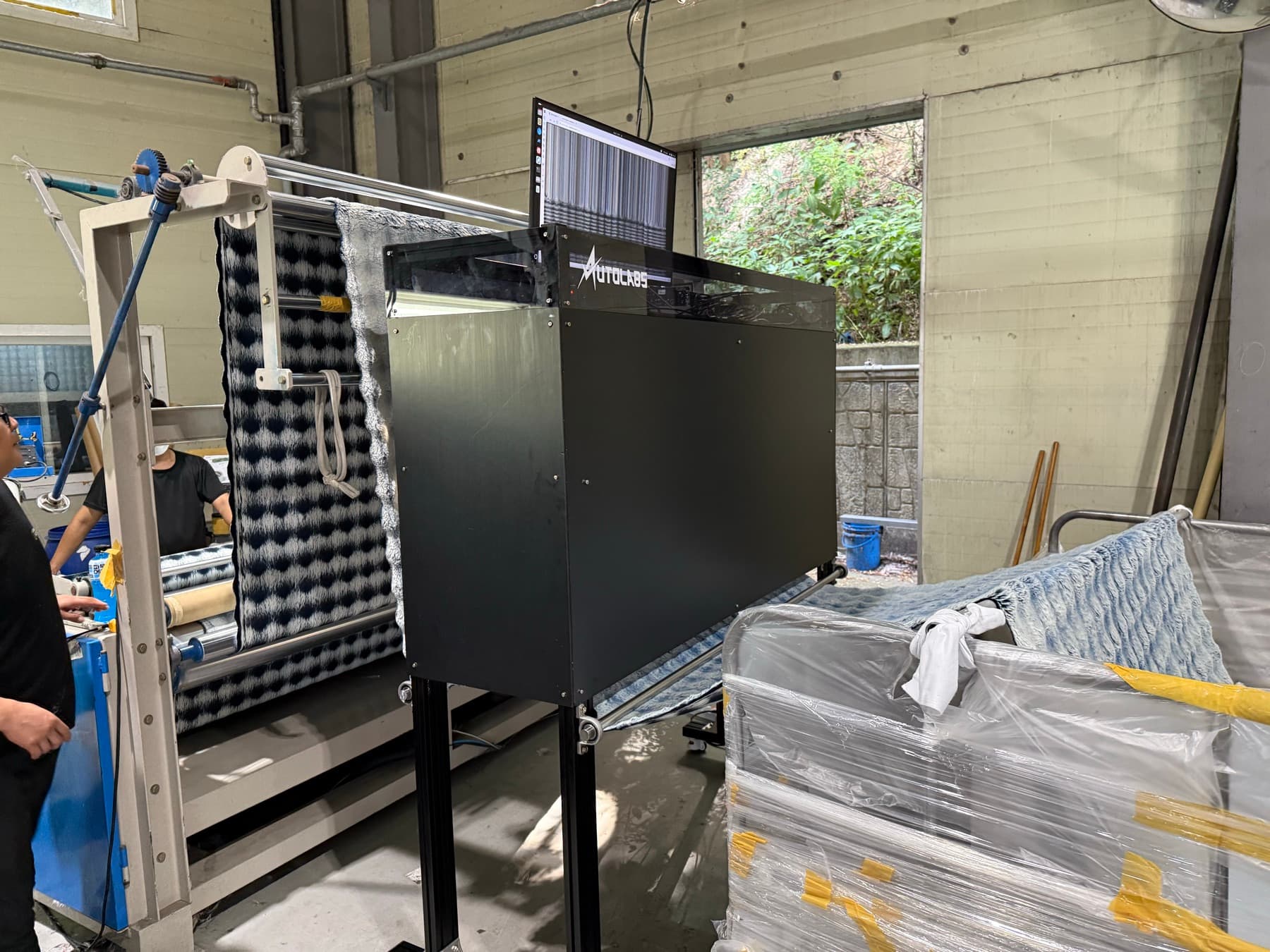
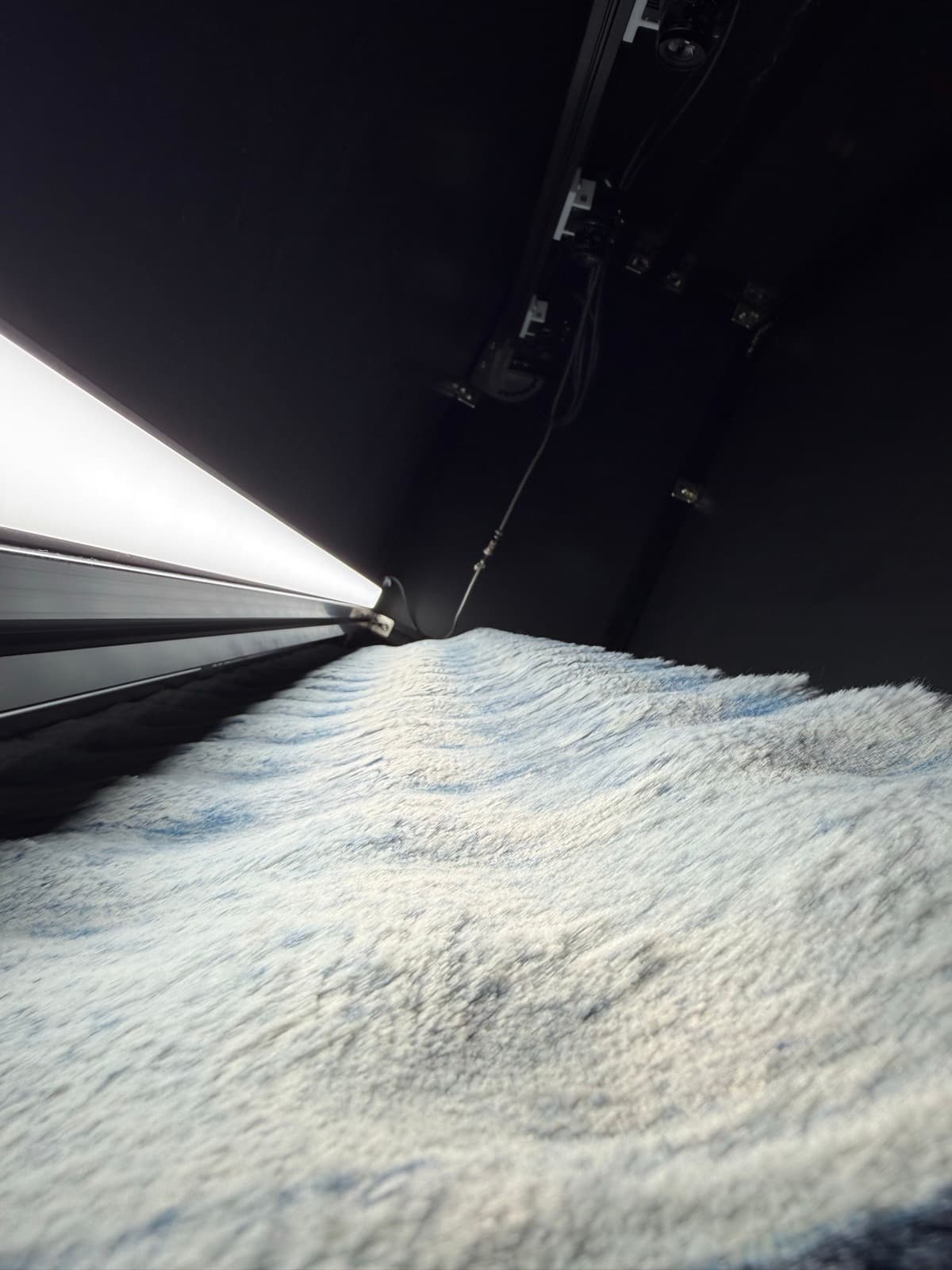
AutoVision is inspection hardware comprising cameras, lighting, mounting structures and on-site computing. Used with AutoBrics, it is reviewed as a modular or enclosed configuration suited to the material and line.
A modular configuration can add cameras, lighting and computing at the existing inspection point. An enclosed setup is also possible. Existing equipment use, modifications and timing are agreed after reviewing material and line conditions.
Potential defects are identified relative to normal material. Samples, configuration and validation needs are defined after reviewing surface and inspection goals.
The working prototype demonstrates detection, operator review and per-roll reports on plain, single-color nonwovens. Other materials and processes are reviewed using samples, goals, width, speed and other conditions.
Results are available on the floor screen and per-roll reports, with defect images, positions, results and automatic 4-Point scoring. Criteria and report items for buyers are confirmed for the material and requirements.
Price and timing depend on material, line conditions and hardware. Proposals separate equipment, installation, software and support, explaining required reviews, costs and schedule.
Enter monthly claims and loss per claim in the calculator to explore annual loss and savings under your assumptions. Use the assessment questionnaire to share material and line information.
Tell us your material, working width, operating speed and current inspection method. We'll review the material/site checks and deployment scope together.